CoC bot on PC: emulator setup and the first-session checklist
Set up a CoC bot on PC with a clear LDPlayer or BlueStacks checklist, display checks, permission troubleshooting and honest account-risk guidance.
 cocbot
WhatsApp
Explore Clash of Clans bot farming, Android and PC setup, iPhone Cloud plans, current prices and account risks before choosing cocbot.
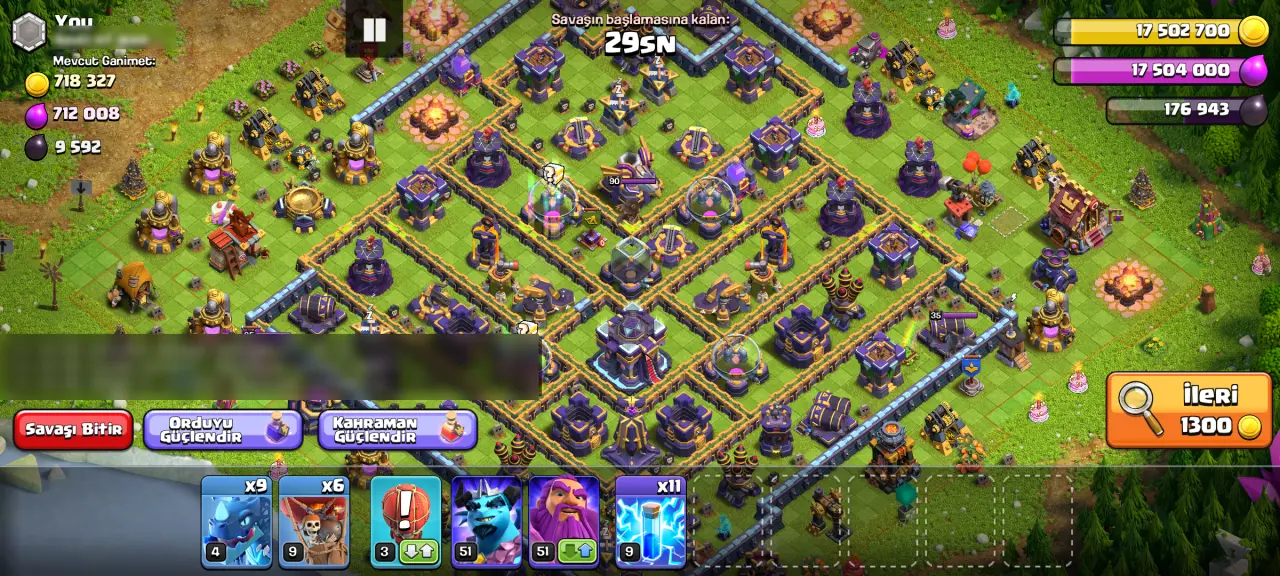
A Clash of Clans bot can repeat farming actions, but it cannot decide what matters most to your village. Before configuring cocbot, choose your next upgrade and the resource it needs. That decision gives your session a purpose: collect enough Gold for a building, preserve Elixir for research, or spend a surplus on walls. Treat automation as a way to carry out your choices, with observation and limits, rather than a promise that every attack will produce a useful result.
cocbot reads the Android screen and performs taps. Its farming loop scouts an opponent, reads displayed loot, compares it with your thresholds and either skips or attacks. Watch that complete sequence before trusting your configuration. A correctly displayed menu is not sufficient evidence that loot recognition and attack actions work on your particular device.
Resource collection and resource spending need a shared plan. If you enable wall spending while saving the same resource for another upgrade, your apparent farming progress can disappear into walls. Reserve the cost of your priority upgrade first. Then decide which surplus may be spent. Check the price shown inside the game because wall levels and upgrade costs differ.
Wall automation requires a license that enables walls. Building upgrades and Laboratory research require a full license. Review that coverage before purchasing. Choose research around troops and spells you actually use, and inspect the Laboratory before starting a session. Automation does not remove game requirements or turn an unavailable upgrade into an available one.
For multiple accounts, keep a separate resource goal and configuration record for each village. A threshold that suits one account may be unhelpful for another. Confirm license coverage and the supported account workflow with support; do not assume that one purchase provides unlimited accounts or simultaneous sessions.
The 4x speed note is not a promise of four times the loot or four times faster village development. Device responsiveness, opponent selection and session conditions affect results. Check what the current speed option controls before using it, and compare an observed session rather than extrapolating from a label. Game upgrade timers still apply. Human-like interaction or varied delays also do not make unauthorized automation permitted or guarantee protection from enforcement.
On Android, cocbot is installed as an APK. On Windows, the documented setup uses LDPlayer 9. BlueStacks has worked in a customer setup, and the release includes a screen-scaling fix; that does not establish compatibility with every emulator version or display configuration. Check the setup guide and observe recognition and tap positions after any display change.
An iPhone or iPad cannot install an Android APK. The separate iOS Cloud plan runs cocbot on hosted Android. Consider that distinction when comparing plans: you are choosing a remote Android environment, not a native iOS automation app. A cloud device does not remove the account risk associated with gameplay bots.
Use the download and setup pages linked here, and read the permission prompts before proceeding. Screen capture allows the tool to read what is displayed; accessibility enables interaction. Keep private applications and verification codes outside the captured session. If the capture is black or taps miss their targets, stop before changing more settings.
The website offers 22 languages, while documented in-game recognition covers English, Turkish, German, French, Spanish, Portuguese, Russian, Arabic and Indonesian. Check the language inside Clash of Clans separately from this website. After a game, emulator or app update, repeat the first-cycle check instead of assuming an earlier setup still behaves identically.
Supercell prohibits bots and unauthorized gameplay automation. Using cocbot can lead to temporary suspension or permanent account termination. There is no device choice, speed setting or human-like behavior that makes the risk zero. If retaining access to your account is essential, that consequence should be central to your decision.
getcocbot is independent and is not affiliated with, sponsored by or endorsed by Supercell. Review Supercell’s terms through the link below. The comparison table distinguishes types of tools and control; it is not a claim that another provider is safe, unsafe, faster or less capable. Verify any competitor’s features directly before relying on them.
The listed international Android/PC prices are USD 7.99 monthly and USD 69.99 yearly. The separate iOS Cloud prices are USD 19.99 monthly and USD 199 yearly. Check the pricing page for payment-method details and the plan you are actually purchasing. These are different product options, so compare the device environment as well as the amount.
Before paying, confirm the features and account coverage you need. For setup help, contact WhatsApp at +90 538 054 55 53 with your device or emulator, app version, game language and the screen where a problem occurs. Remove passwords, verification codes and private account details from screenshots. A useful support request describes the observed behavior rather than sending sensitive access information.
| Criterion | Manual play | cocbot | Discord information tool |
|---|---|---|---|
| Main action | Player controls gameplay | Configured gameplay automation | Information and server functions |
| Environment | Supported game device | Android, PC emulator or Cloud plan | Discord; check tool requirements |
| Account decision | Follow the game rules | Unauthorized automation risks sanctions | Check functions, permissions and applicable rules |
Yes. It reads displayed loot and performs configured scouting and attack actions. Observe the first full cycle on your device.
Use the separate iOS Cloud plan on hosted Android. An Android APK does not install as an iPhone app.
LDPlayer 9 is the documented route. BlueStacks has worked in a customer setup, but compatibility still needs checking on your configuration.
No. Human-like behavior does not override Supercell’s prohibition or guarantee that an account will avoid sanctions.
No. Walls need an enabled license; building upgrades and Laboratory research require a full license. Confirm the coverage you need.
No. A speed label is not a measured loot guarantee. Compare actual resource gains and elapsed time in your own session.
No. A Discord information bot serves a different purpose from gameplay automation. Check each tool’s actions and permissions.
US$7.99 / Monthly · US$69.99 / Yearly · Pricing
Set up a CoC bot on PC with a clear LDPlayer or BlueStacks checklist, display checks, permission troubleshooting and honest account-risk guidance.
Understand Android CoC bot APK installation, screen capture and accessibility, troubleshoot common setup symptoms, and review device and account risks.
Plan CoC automatic farming around a real upgrade goal, resource reserves, observed loot per minute, wall spending and Laboratory priorities.
Understand CoC bot ban risk and distinguish gameplay automation, auto donate requests and Discord information tools before comparing products.
The prices below cover the Android/PC license and the separate iOS Cloud plan. The Android app offers a one-day trial. Both plans are available monthly or yearly.
Supercell prohibits bots and unauthorized gameplay automation. Using cocbot may violate the game rules and result in a temporary suspension or a permanent ban. You assume that risk whether you play on a phone, an emulator or a cloud device.